ACE COMBAT 8 Beginner Guide: Sortie Prep, Controls and First Missions
New-pilot briefing for ACE COMBAT 8: how the sortie menu works, SP weapons and parts, the mission benchmark and what to expect from the campaign.
FAQ
When can I play ACE COMBAT 8?
Does ACE COMBAT 8 support controllers on PC?
Do I need to play earlier Ace Combat games first?
What is the Wings of Theve?
What kind of game are you stepping into?
ACE COMBAT 8: WINGS OF THEVE is an arcade-style combat flight game — not a study-level simulator. Project ACES describes fast-paced dogfights where you line up targets, manage special weapons and push through objectives at speed, wrapped in a campaign about squadron bonds and hard choices. It launches October 1-2, 2026 on PS5, Xbox Series X|S and PC (Steam) at $69.99, with a $89.99 Deluxe Edition that carries three days of early access.
If you are completely new to the series, that arcade DNA is the good news: missions are built around clear objectives and readable HUDs, not around ten-page startup checklists. Our aircraft list and campaign overview cover the details; this page is the ten-minute briefing.
How the sortie menu works
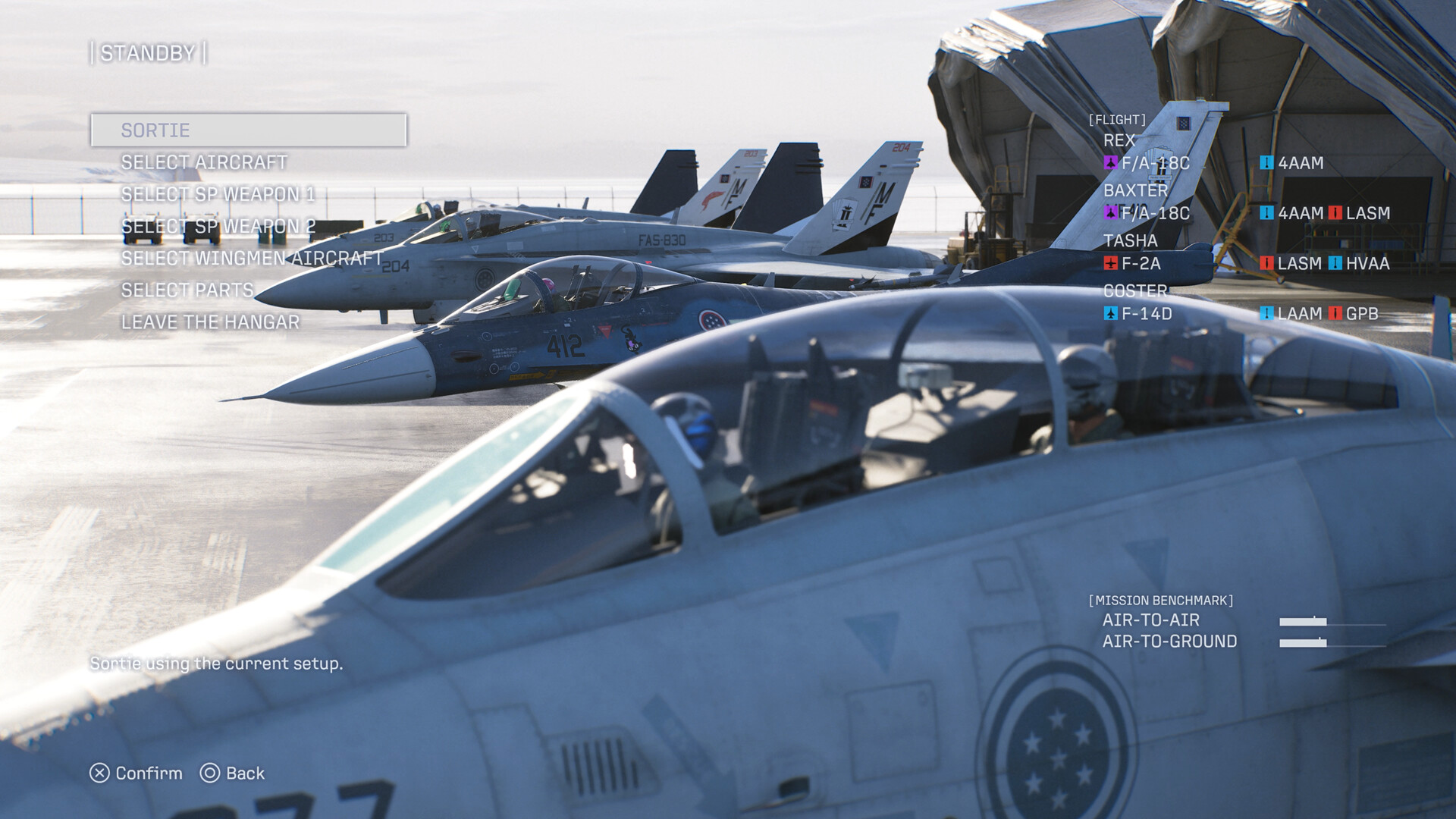
Official screenshots show the pre-mission screen, labeled STANDBY, with six options. This is where every mission actually begins:
- Sortie — launch with your current setup.
- Select aircraft — swap your airframe. Screenshots confirm the F/A-18C, F/A-18E, F-14D and F-2A among the starting options, from a launch lineup of 30+ aircraft in four classes (see the full aircraft list).
- Select SP weapon 1 and SP weapon 2 — two special weapon slots. That is a change from earlier entries, which carried a single special slot: you can now pair, say, a multi-lock air-to-air missile with an anti-ship weapon in the same loadout. The special weapons guide breaks down every abbreviation confirmed so far.
- Select wingmen aircraft — your three Joker Flight wingmen (REX, BAXTER, TASHA and COSTER appear in the flight roster) each fly their own plane, and you can adjust what they take into battle.
- Select parts — equip parts that tune your aircraft between missions. Details in the parts and loadouts guide.
- Leave the hangar — back out without committing.
The same screen shows a mission benchmark with two ratings, air-to-air and air-to-ground. That is the game telling you what the upcoming mission emphasizes, and it is the fastest signal for which special weapons to bring.
What the HUD tells you in the air
In-flight screenshots show the series’ familiar green HUD: speed and altitude readouts on either side, a radar in the bottom-left corner, target boxes (TGT) over enemies, a NEXT marker when a priority target appears, and a weapons panel listing your missile and special weapon counts. Damage shows as a DMG percentage on the right.
Radio chatter is part of the experience — wingmen call out bandits by name (“Heads up. Bandits spotted!”) and their portrait cards appear with name, rank and branch, such as E. Baxter “Professor”, LCDR of the FCU Navy. You do not need to read everything at once: the TGT box and the NEXT marker are enough to start.
What is genuinely new for returning pilots
Three changes stand out from the official material, and they matter on day one:
- Two special weapon slots instead of one, which makes loadout planning a real decision before every sortie.
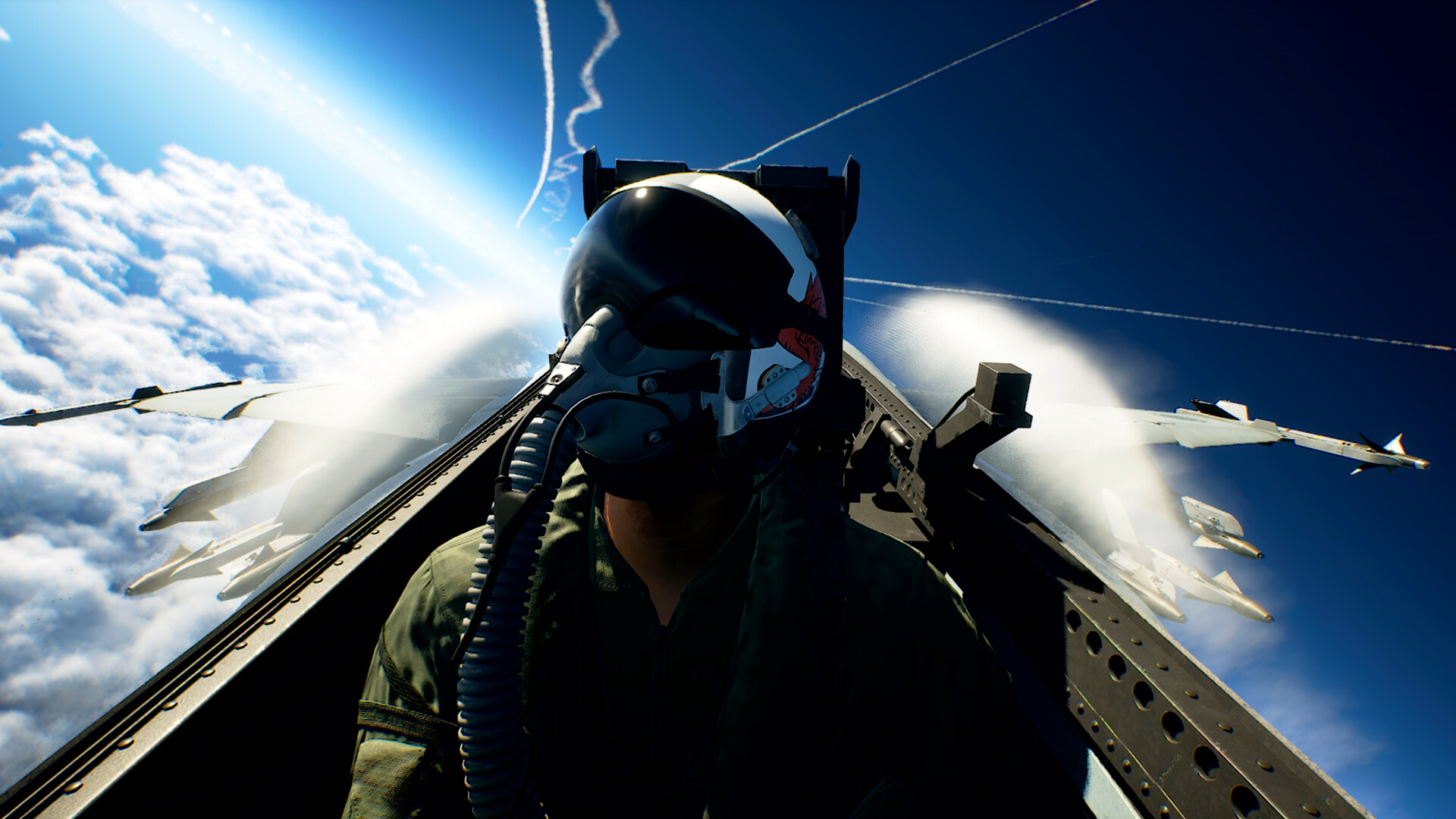
- First-person storytelling: the campaign cuts to first-person cockpit scenes to tell the pilot’s story — a series first.
- The Cloudly cloud system: multi-layered, reactive cloudscape that is not just scenery. Contrails and engine smoke have tactical meaning, and the developer has pointed to weather you can fly through rather than around.
There is also a structural damage-model change: enemies have no specific weak points, and destroyed aircraft can damage nearby targets. In practice, aim well and let chain reactions do part of the work.
Your first session, step by step
- Play the opening missions on the default difficulty. The campaign doubles as the tutorial; the sortie menu teaches itself as missions introduce systems.
- Read the mission benchmark before picking weapons. Air-to-air rating? Bring multi-lock missiles. Air-to-ground? Precision or unguided ground weapons.
- Try a wingman order. Screenshots show an SP weapon “Disperse”/“Attack” command set and a “Dispersed Attack” radio call — your flight follows orders, and the series has a long tradition of wingmen who survive (or don’t) based on how you use them.
- Fail forward. Missions restart fast in this series. Retrying with a different special weapon loadout is a legitimate strategy, not a punishment.
Once the campaign feels comfortable, the ACE COMBAT ONLINE guide covers the series’ first online lobby, and the score and ranking guide explains how mission ratings are built.
What we cannot confirm before launch
The game releases October 1-2, 2026, and hands-on details are still being verified. Difficulty modes, control remapping, mission count and exact part effects are not confirmed in official material yet. Guides on this wiki are dated and re-checked after launch — anything unverified is labeled as such rather than guessed.
Related Articles
aircraft
Best Starting Aircraft in ACE COMBAT 8: What to Fly First
Which aircraft to fly first in ACE COMBAT 8: the confirmed opening hangar — F/A-18C, F/A-18E, F-2A, F-14D — matched to mission benchmarks.
guides
ACE COMBAT 8 Score and Ranking: How Mission Ratings Are Built
How ACE COMBAT 8 scores missions: confirmed point values for drones, attackers and sub-targets, and the habits that push your rating higher.
guides
ACE COMBAT 8 Parts and Loadouts: How the Hangar Systems Fit Together
How ACE COMBAT 8’s hangar fits together: aircraft choice, two special weapon slots, wingmen equipment, parts and a 60-second pre-mission checklist.
Was this helpful?
Thanks for the feedback!